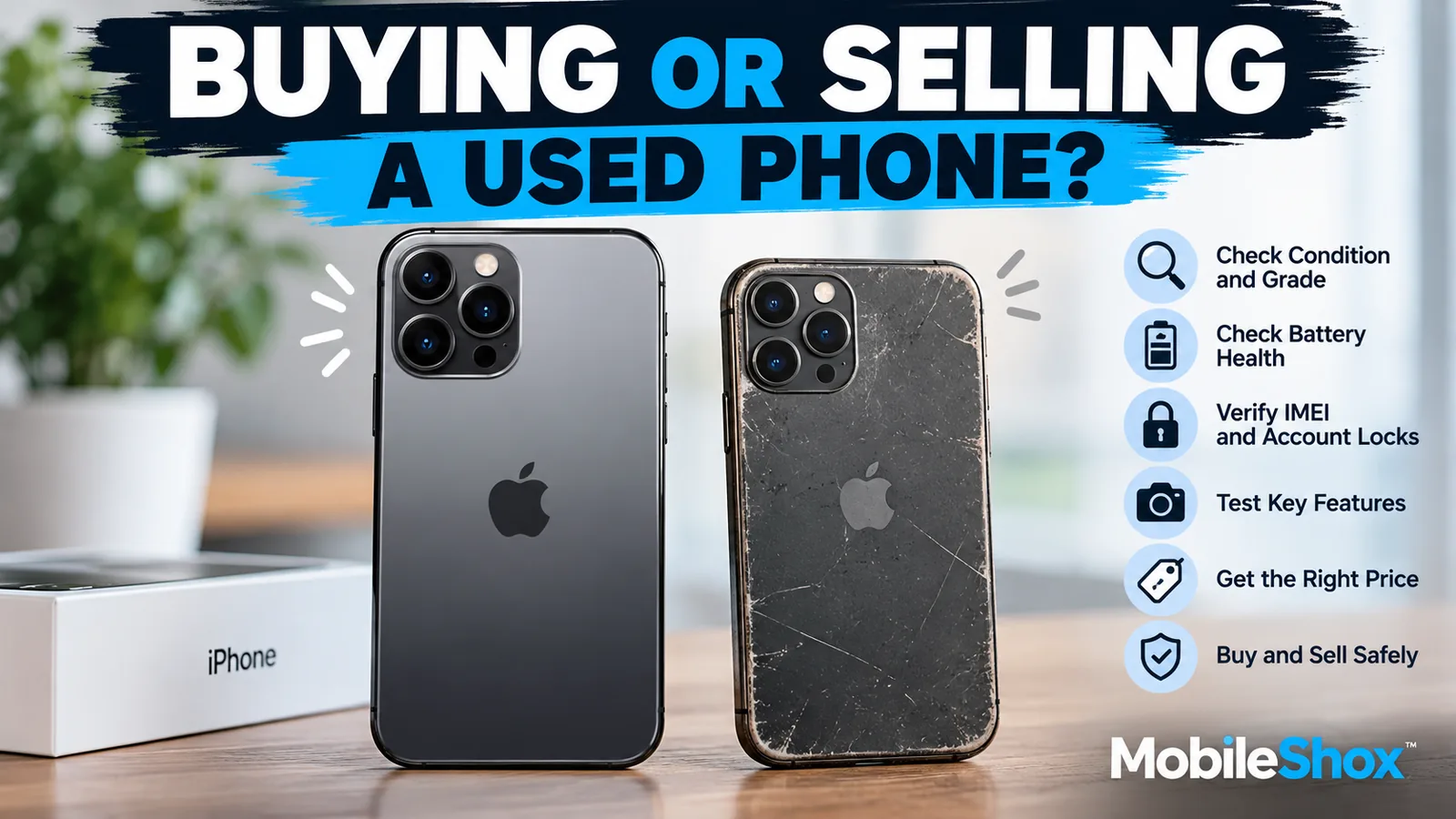
Buying a used smartphone can be one of the smartest ways to get a premium device without paying the full price of a brand-new phone. Selling your current phone can also help recover a significant portion of its value before upgrading.
However, buying and selling used phones comes with risks. Cosmetic condition is only part of the story. Battery health, IMEI status, account locks, repaired parts, cameras, charging ports, and seller reliability can make the difference between a great deal and an expensive mistake.
In this MobileShox guide, we explain how used phone grading works, what to check before buying a second-hand smartphone, and how to prepare, price, and safely sell your own phone in 2026.
1. Understanding Used Phone Grades
Used and refurbished smartphones are often advertised as Grade A, Grade B, Grade C, Excellent, Good, Fair, or Like New.
There is no universal grading standard followed by every seller. One company's Grade A device may be slightly different from another company's definition. In most grading systems, the grade describes the cosmetic condition of the device, while functionality is assessed separately.
Used Smartphone Condition Grading Guide
| Grade | Typical Condition | Best For |
|---|---|---|
| Grade A / Excellent | Minimal visible wear, clean screen and frame, close to new appearance. | Buyers wanting a premium-looking phone. |
| Grade B / Good | Light scratches or small marks from normal use. | Buyers looking for the best balance of price and condition. |
| Grade C / Fair | Noticeable scratches, scuffs, or small dents, without major structural damage. | Budget-conscious buyers who prioritize functionality. |
| Damaged / Parts | Cracked glass, damaged components, or functional problems. | Repair technicians or experienced buyers. |
MobileShox Tip: A lower cosmetic grade does not necessarily mean poor performance. A scratched phone may work perfectly, while a spotless phone could have a weak battery or hidden hardware issues. Always inspect functionality separately.
2. Check the IMEI Before Buying a Used Phone
Before paying for a used iPhone or Android phone, check its IMEI number.
The International Mobile Equipment Identity (IMEI) is a unique identification number associated with a cellular device. It can help you determine whether a phone has been reported lost or stolen.
How to Find a Phone's IMEI
- Open the phone's Settings and look for the device information or About section.
- On most cellular phones, dial *#06# to display the IMEI.
- Compare the displayed IMEI with the device's packaging or other available identification details.
For buyers in Canada, visit DeviceCheck.ca to check whether a device has been reported lost or stolen in Canada.
Important: A clean IMEI check does not guarantee that the phone will remain eligible for network service or that it is free from financing, ownership, or other issues. Always verify the device with your carrier when possible.
3. Make Sure the Phone Is Not Account Locked
Account locks are among the most important things to check when buying a second-hand smartphone.
For Used iPhones: Check Activation Lock
Apple's Activation Lock helps prevent someone else from using an iPhone that remains associated with the previous owner's Apple Account.
Before purchasing a used iPhone:
- Ask the seller to remove the device from their Apple Account.
- Make sure Find My and Activation Lock have been removed through the proper process.
- Verify that the phone has been erased and can proceed through setup without requiring the previous owner's Apple Account credentials.
- Avoid buying an iPhone displaying "iPhone Locked to Owner" unless the owner successfully removes the lock before payment.
Learn more in Apple's official guide to Activation Lock.
For Used Android Phones: Check Factory Reset Protection
Many Android smartphones include Factory Reset Protection (FRP), which helps prevent unauthorized use after a factory reset.
If an Android phone is reset without properly removing the previous owner's Google Account, it may request account credentials during setup.
Ask the seller to remove their Google Account from the device before completing a factory reset. Then verify that setup can proceed without asking for the previous owner's account.
For more information, see Google's Android device protection guide.
4. Check Battery Health Before Buying
A smartphone may look almost new but have significant battery wear. Battery condition is especially important when buying a phone that has been used for several years.
How to Check iPhone Battery Health
On supported iPhones, open Settings > Battery > Battery Health or the relevant Battery Health menu for that iOS version and model.
Look at maximum battery capacity, battery health messages, and any service recommendations.
How to Check Android Battery Health
On Android phones, battery health information varies by device manufacturer and software version.
Check the battery settings or the manufacturer's diagnostic application, where available.
Warning Signs of a Weak Battery
- The phone loses charge unusually quickly.
- Battery percentage drops suddenly.
- The device shuts down unexpectedly.
- The phone becomes excessively hot during ordinary use.
- Charging is inconsistent or unusually slow.
MobileShox Tip: A slightly more expensive used phone with a healthier battery may be better value than a cheaper one requiring an immediate battery replacement.
5. Inspect the Screen and Touchscreen
The display is often one of the more expensive smartphone components to replace.
Before purchasing a used phone, carefully inspect the screen under good lighting.
- Look for scratches, cracks, and chips.
- Check for dead pixels or unusual display colours.
- Look for OLED burn-in or image retention.
- Test touchscreen responsiveness across the entire display.
- Check screen brightness and viewing angles.
- Inspect the edges for gaps or signs of previous repairs.
A screen with minor cosmetic scratches may still be acceptable at the right price. However, cracked glass, touch failures, or serious display defects should affect your buying decision.
6. Test Cameras, Speakers, Microphones, and Buttons
Even if the phone appears to be in excellent condition, take a few minutes to test its major hardware components.
Camera Tests
- Take photos using the front and rear cameras.
- Record a short video.
- Test zoom and different lenses where available.
- Check autofocus and image quality.
- Inspect camera lenses for scratches or condensation.
Audio and Hardware Tests
- Play music to test speakers.
- Record your voice to check the microphone.
- Make a test call if possible.
- Test volume, power, and other physical buttons.
- Check fingerprint or face recognition.
- Connect a charger and check the charging port.
- Test wireless charging if the phone supports it.
- Check Wi-Fi, Bluetooth, and cellular connectivity.
These simple tests can reveal problems that may not be visible in listing photographs.
7. Ask About Previous Repairs
Many second-hand smartphones have undergone some form of repair during their lifetime.
A repaired phone is not necessarily a bad purchase, provided the work was completed properly and the device is functioning correctly.
Ask the seller whether any components have been replaced, including:
- Display or touchscreen
- Battery
- Charging port
- Rear cameras
- Back glass or housing
On supported iPhone models, Apple's Parts and Service History feature may provide additional information about replaced components. Android manufacturers may provide their own diagnostic or repair information.
Buying Tip: If a phone has been repaired, compare its price with similar devices that have not required repairs.
8. Watch for Water Damage
Many modern phones are designed with water resistance, but that protection can decline over time due to wear, impacts, or repairs.
Signs of possible liquid exposure include:
- Condensation inside camera lenses
- Corrosion around charging ports
- Display discolouration
- Unusual speaker behaviour
- Charging or connectivity problems
Liquid damage may cause problems long after the initial exposure. Be cautious when a seller cannot explain unusual hardware behaviour or when the device has a suspiciously low price.
9. Compare the Total Cost, Not Just the Asking Price
The cheapest listing is not always the best deal.
For example, imagine two used phones of the same model:
- Phone A: $400, noticeable scratches, and a battery that may need replacement.
- Phone B: $450, excellent cosmetic condition, and better battery health.
If Phone A needs a $100 battery replacement, its total cost could increase to $500. In this example, Phone B may be the better purchase.
Consider cosmetic condition, battery health, storage capacity, repairs, warranty, and accessories before deciding which phone offers the better value.
10. How to Find the Right Price for a Used Smartphone
Before buying or selling, compare several listings for the same phone model.
Make sure you compare devices with similar storage capacity, cosmetic condition, battery health, and repair history.
Useful places to research market prices include:
- Facebook Marketplace
- eBay completed and sold listings
- Local used-phone retailers
- Refurbished smartphone retailers
- Trade-in programs offered by manufacturers and carriers
Remember that asking prices do not always reflect actual selling prices. Completed sales can provide a more realistic indication of what buyers are willing to pay.
11. Selling Your Phone? Start With an Honest Condition Assessment
If you plan to sell your iPhone or Android smartphone, inspect it the same way a buyer would.
Check the screen, back glass, frame, cameras, charging port, buttons, battery health, and overall functionality.
Be realistic when describing its condition.
- Excellent: Minimal wear and a clean appearance.
- Good: Normal signs of careful everyday use.
- Fair: Noticeable cosmetic wear without major functional issues.
- Damaged: Cracks, hardware problems, or other defects that require disclosure.
Accurate descriptions build trust and reduce disagreements when the buyer inspects the device.
12. Clean Your Phone and Take Quality Photos
Good photographs can make a major difference when selling a smartphone online.
Carefully clean the display, back panel, and camera lenses using appropriate materials before taking photographs.
Use a clean background and bright, even lighting.
Include photographs of:
- Front of the phone with the screen on
- Back of the phone
- Left and right sides
- Top and bottom edges
- Camera lenses
- Any scratches, dents, or damage
Do not hide imperfections. Showing the true condition helps attract serious buyers and avoids unnecessary negotiations.
13. Write a Detailed Used Phone Listing
A useful listing should answer the most common buyer questions immediately.
Include the following details:
- Brand and exact phone model
- Storage capacity
- Colour
- Overall cosmetic condition
- Battery health, where available
- Carrier lock or unlocked status
- Repair or replacement history
- Included accessories and original packaging
- Known defects or limitations
- Asking price
Example: Used iPhone Listing
iPhone 15 Pro, 256GB, Unlocked, Good Condition
Selling my iPhone 15 Pro with 256GB storage. The phone is fully functional and in good cosmetic condition, with minor signs of normal use around the frame. Screen and cameras work correctly. Battery health is 89%. No known functional issues. Includes the original box and charging cable. The device will be erased and removed from my Apple Account before collection.
Note: This is an illustrative listing. Always use the actual specifications and condition of your device.
14. Prepare Your Phone Before Selling It
Before handing over your phone, protect your personal information and ensure the next owner can activate the device successfully.
For iPhone Sellers
- Back up your important information.
- Transfer your information to your replacement phone if needed.
- Unpair connected accessories such as your Apple Watch.
- Follow Apple's instructions to erase the device and remove it from your account.
- Remove your physical SIM card or handle your eSIM transfer appropriately.
- Verify that Activation Lock no longer prevents the new owner from setting up the phone.
Read Apple's official instructions for selling or giving away an iPhone.
For Android Sellers
- Back up important photos, contacts, and files.
- Transfer your information to your replacement device.
- Remove Google and other manufacturer accounts from the phone.
- Perform a factory reset through the device settings.
- Remove your SIM card and handle your eSIM as appropriate.
- Verify that the new owner can begin setup without your account credentials.
For more details, visit Google's official Android device protection instructions.
15. Stay Safe When Buying or Selling Phones Locally
Online marketplaces make used-phone trading convenient, but buyers and sellers should take basic security precautions.
- Meet in a public, well-lit location.
- Choose a safe-trade location, where available.
- Allow enough time to inspect and test the phone.
- Do not rush the transaction.
- Confirm that payment has been received before handing over the device.
- Avoid suspicious overpayment requests or complicated third-party pickup arrangements.
- Be cautious of unusually low prices.
- Never share account passwords or one-time verification codes.
MobileShox Tip: If the seller refuses a reasonable device inspection or cannot demonstrate that the phone is properly unlocked and ready for its next owner, consider walking away.
16. Used vs. Refurbished Phones: What's the Difference?
Although the terms are sometimes used interchangeably, used and refurbished phones may go through very different processes before being sold.
| Feature | Used Phone | Refurbished Phone |
|---|---|---|
| Previous ownership | Previously owned | Usually previously owned or returned |
| Testing | Varies by seller | Typically tested, but standards vary |
| Repairs | May or may not have been repaired | May include repair or replacement parts |
| Warranty | Often limited or unavailable | May include retailer warranty |
| Pricing | Often lower | May cost more depending on refurbishment and warranty |
Refurbished does not automatically mean better. Always compare battery standards, inspection procedures, warranty terms, return policies, and the reputation of the seller.
17. Used Phone Buying Checklist
Before completing your next smartphone purchase, review this checklist:
- Confirm the correct model and storage capacity.
- Inspect the screen, frame, and back glass.
- Test touchscreen responsiveness.
- Check battery health or available diagnostics.
- Test cameras, microphones, and speakers.
- Check buttons and the charging port.
- Verify Wi-Fi, Bluetooth, and cellular connectivity.
- Check the IMEI and carrier compatibility.
- Make sure Activation Lock or FRP will not block setup.
- Ask about repairs and liquid damage.
- Compare the price with similar devices.
- Review the seller's return or warranty policy, if applicable.
18. Frequently Asked Questions About Buying and Selling Used Phones
What does Grade A mean on a used phone?
Grade A generally means a phone is in excellent cosmetic condition with very little visible wear. Because grading standards vary, always check the seller's exact grading criteria.
Is a Grade B phone worth buying?
Yes. Grade B or Good-condition phones can provide excellent value, particularly when scratches or minor marks are purely cosmetic and the device is fully functional.
How do I check whether a used phone is stolen?
Check its IMEI using an appropriate lost-and-stolen device database. In Canada, DeviceCheck.ca provides an IMEI checking service. This check has limitations and does not guarantee ownership or future network eligibility.
What is a good battery health percentage for a used iPhone?
Higher maximum capacity generally indicates less battery wear. Consider the phone's age, price, expected battery life, and potential replacement costs rather than relying on one percentage alone.
Can I buy an iPhone that says "iPhone Locked to Owner"?
Do not complete the purchase until the previous owner removes Activation Lock. A factory reset alone does not necessarily remove this protection.
Is a refurbished phone better than a used phone?
Not always. Professionally refurbished phones may offer testing, repairs, and warranty protection, but quality standards vary between sellers. Compare the actual condition and after-sales support.
Should I factory reset my phone before selling it?
Yes. Back up your data, remove accounts using the correct procedure, erase the device, and make sure the next owner will not encounter an account lock during setup.
Where is the best place to sell a used smartphone?
Facebook Marketplace, eBay, local phone retailers, and manufacturer or carrier trade-in programs are common options. The best choice depends on whether you prioritize maximum resale value, convenience, payment protection, or transaction speed.
Final Thoughts: Buy Smart, Sell Smarter
Buying a used smartphone in 2026 can be an excellent way to save money without sacrificing the features of a premium device. Likewise, selling your current phone can help offset the cost of your next upgrade.
The most important rule is simple: condition alone does not determine value.
Before buying, verify battery health, IMEI status, account locks, hardware condition, repair history, and overall pricing. Before selling, accurately describe your device, prepare it carefully, protect your personal data, and use safe transaction practices.
With the right information and a few careful checks, both buyers and sellers can enjoy a safer, smarter smartphone transaction.
For more smartphone advice, explore our iPhone tips and tricks, Android tips and tricks, and smartphone security guide.