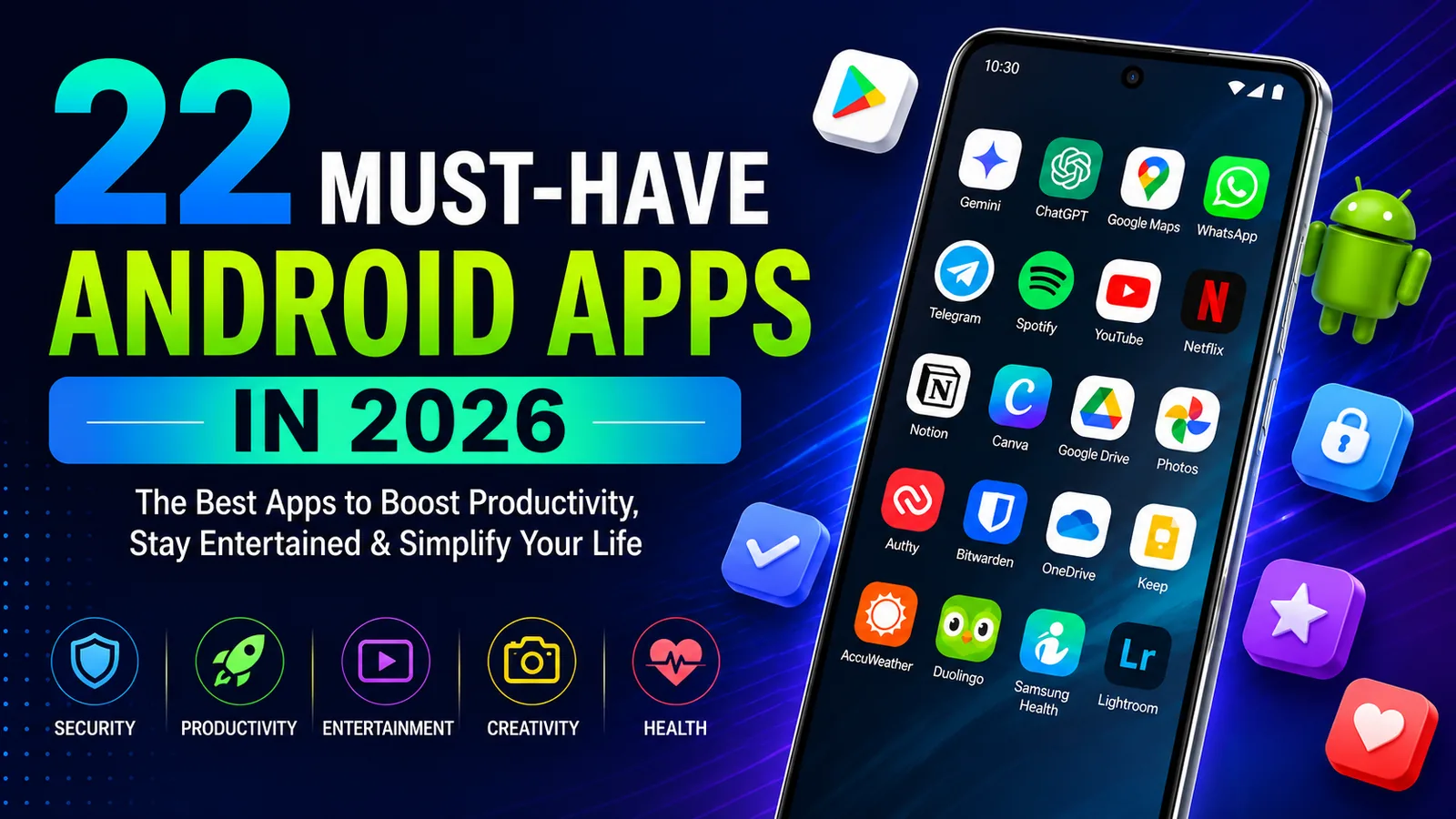
Android smartphones are more capable than ever in 2026. Whether you're using a Samsung Galaxy, Google Pixel, OnePlus, Motorola, or another Android device, the right apps can make your phone significantly more useful for productivity, communication, entertainment, security, navigation, photography, and everyday tasks.
With millions of apps available on Google Play, deciding what is actually worth installing can be difficult. To make things easier, we've selected 22 must-have Android apps that stand out in 2026.
Note: App availability, features, subscriptions, and pricing may vary depending on your device and region.
1. Google Gemini
Google Gemini is one of the most useful AI assistants available for Android. It can help answer questions, summarize information, brainstorm ideas, plan trips, work with documents, generate content, and assist with everyday tasks.
- AI powered questions and answers
- Writing, brainstorming, and research assistance
- Gemini Live conversational features
- Integration with supported Google services
- Image and document analysis
Get Google Gemini on Google Play
2. Microsoft Copilot
Microsoft Copilot is a versatile AI assistant for Android that can help with research, writing, brainstorming, image creation, planning, and general productivity.
- AI powered conversational assistant
- Writing and brainstorming tools
- AI image generation
- Research and information assistance
- Useful for personal and professional tasks
Get Microsoft Copilot on Google Play
3. Google Maps
Google Maps remains one of the most important apps to have on an Android phone. It combines GPS navigation, live traffic information, public transit directions, business information, Street View, and location discovery in one app.
- Turn by turn GPS navigation
- Live traffic and road condition information
- Public transit directions
- Business listings, reviews, and photos
- Street View and location discovery
Get Google Maps on Google Play
4. WhatsApp
WhatsApp remains one of the world's most widely used communication apps. It supports private messaging, voice calls, video calls, group conversations, file sharing, and communication across mobile and desktop devices.
- End to end encrypted personal messages and calls
- Voice and video calling
- Group conversations
- Photo, video, and document sharing
- Mobile and desktop support
5. Telegram
Telegram is a powerful messaging platform that is particularly useful for large groups, communities, channels, file sharing, and users who want their conversations synchronized across multiple devices.
- Cloud based messaging
- Large groups and channels
- File and media sharing
- Multi device synchronization
- Extensive customization options
6. Spotify
Spotify remains one of the best Android apps for streaming music and podcasts. It offers an enormous content library, personalized recommendations, playlists, podcasts, audiobooks in supported regions, and synchronization across multiple devices.
- Millions of songs and podcasts
- Personalized playlists and recommendations
- Audiobooks in supported markets
- Cross device playback
- Offline listening with eligible Premium plans
7. YouTube
YouTube continues to be an essential Android app for entertainment, tutorials, product reviews, news, educational videos, music, gaming content, and almost every other type of video.
- Huge library of video content
- Personalized recommendations
- Channel subscriptions
- Shorts and live streaming
- Premium features available with a subscription
8. Netflix
Netflix is still one of the leading streaming apps for watching movies, series, documentaries, and original programming directly on an Android phone or tablet.
- Movies and TV series
- Netflix original programming
- Personalized recommendations
- Downloads for offline viewing on supported plans
- Multiple profiles and kids viewing options
Note: A Netflix subscription is generally required to watch streaming content.
9. Adobe Lightroom
Adobe Lightroom is one of the best Android apps for photographers and content creators who want advanced photo editing capabilities on a smartphone or tablet.
- Professional photo editing controls
- AI assisted editing tools
- Presets and quick adjustments
- RAW photo editing
- Photo and video editing capabilities
Get Adobe Lightroom on Google Play
10. Snapseed
Snapseed is a powerful photo editor developed by Google. It is a great option for Android users who want advanced editing tools without needing a complicated desktop editing workflow.
- More than 30 editing tools and filters
- RAW and JPG editing
- Selective adjustments and masking
- Non destructive editing
- No subscription required
11. Canva
Canva makes it easy to create professional looking graphics directly from an Android device. It is useful for social media posts, presentations, flyers, videos, thumbnails, resumes, marketing materials, and other visual content.
- Thousands of customizable templates
- Photo and video editing
- Social media design tools
- AI assisted creative features
- Easy collaboration and sharing
12. Notion
Notion is an all in one productivity workspace for notes, tasks, documents, projects, databases, and collaboration. It is useful for individuals, students, professionals, and teams who want to organize information in one place.
- Notes and documents
- Task and project management
- Custom databases
- Team collaboration
- AI assisted productivity tools
13. Google Keep
Google Keep is ideal for users who want a fast and simple way to capture notes, reminders, ideas, photos, checklists, and voice notes without the complexity of a full productivity platform.
- Quick notes and checklists
- Voice notes and photos
- Labels and colour organization
- Shared collaborative notes
- Synchronization across devices
Get Google Keep on Google Play
14. Microsoft OneDrive
Microsoft OneDrive provides convenient cloud storage for documents, photos, videos, and other files. It is especially useful for people already using Windows, Microsoft 365, Word, Excel, or other Microsoft services.
- Cloud file storage
- Automatic photo and video backup
- File sharing and collaboration
- Offline file access
- Microsoft 365 integration
Get Microsoft OneDrive on Google Play
15. Google Drive
Google Drive is one of the most useful cloud storage apps for Android. It makes it easy to store, organize, access, scan, share, and collaborate on files from almost anywhere.
- Cloud file storage
- File and folder sharing
- Document scanning
- Offline file access
- Google Workspace integration
Get Google Drive on Google Play
16. Twilio Authy Authenticator
Authy adds an extra layer of protection to online accounts by generating two step verification codes on your Android device. It supports many websites and services that use time based authentication codes.
- Two factor authentication codes
- Offline token generation
- Encrypted cloud backups
- Support for many online services
- Additional protection beyond passwords
17. Bitwarden Password Manager
Bitwarden is an excellent password manager for Android users who want to create, store, and synchronize strong passwords and passkeys across their devices.
- Encrypted password vault
- Password generator
- Passkey support
- Cross device synchronization
- Autofill for apps and websites
18. AccuWeather
AccuWeather provides detailed local weather information, severe weather alerts, radar maps, precipitation forecasts, and hourly and daily forecasts to help you plan ahead.
- Local weather forecasts
- Live weather radar
- Severe weather alerts
- Hourly and daily forecasts
- MinuteCast precipitation information
Get AccuWeather on Google Play
19. Duolingo
Duolingo makes learning easier by breaking lessons into short, interactive sessions. It remains a popular choice for learning and practicing languages from an Android phone.
- More than 40 languages
- Short interactive lessons
- Speaking, reading, listening, and writing practice
- Progress tracking and daily goals
- Additional learning subjects available
20. Google Photos
Google Photos is one of the best apps for organizing, viewing, searching, editing, and backing up your smartphone photos and videos.
- Photo and video backup
- Powerful image search
- Automatic organization
- Built in photo editing tools
- Easy sharing with friends and family
Get Google Photos on Google Play
21. Samsung Health
Samsung Health provides a central place to track activity, exercise, sleep, steps, and other wellness information. It is particularly useful for Samsung Galaxy and Galaxy Watch users, although compatibility and individual features vary by device.
- Step and activity tracking
- Workout tracking
- Sleep monitoring with supported devices
- Heart rate and other wellness metrics on compatible hardware
- Galaxy Watch integration
Note: Some Samsung Health features require compatible Samsung devices or wearables and may vary by region.
Get Samsung Health on Google Play
22. ChatGPT
ChatGPT is one of the most versatile AI apps available for Android in 2026. It can help with writing, learning, brainstorming, research, coding, planning, image related tasks, and everyday questions through a conversational interface.
- AI powered conversations
- Writing and brainstorming assistance
- Learning and explanations
- Coding and technical assistance
- Voice, images, and other supported multimodal features
Best Android Apps by Category
If you do not need all 22 apps, start with the ones that match how you use your Android phone:
- AI Assistants: Google Gemini, Microsoft Copilot, ChatGPT
- Communication: WhatsApp, Telegram
- Navigation: Google Maps
- Music and Video: Spotify, YouTube, Netflix
- Photo Editing: Adobe Lightroom, Snapseed
- Design: Canva
- Productivity and Notes: Notion, Google Keep
- Cloud Storage: Microsoft OneDrive, Google Drive
- Security: Authy, Bitwarden
- Weather: AccuWeather
- Learning: Duolingo
- Photos: Google Photos
- Fitness and Wellness: Samsung Health
What to Check Before Installing Android Apps
Before installing any Android app, it is worth checking a few details on its Google Play listing.
- Developer: Make sure you are downloading the official app rather than an imitation.
- Permissions: Review the permissions an app requests and consider whether they make sense for its functionality.
- Subscriptions: Check whether advanced features require a paid subscription or in app purchase.
- Compatibility: Some features require newer Android versions, specific phones, or compatible accessories.
- Storage: Streaming, photo editing, and AI apps may use significant storage or mobile data.
- Updates: Keeping apps updated can provide new features, security improvements, and bug fixes.
Final Thoughts
The Android ecosystem continues to evolve quickly in 2026, with AI assistants, productivity tools, communication apps, cloud services, security tools, entertainment platforms, and creative applications becoming increasingly powerful.
Google Gemini, Microsoft Copilot, and ChatGPT are strong choices for AI assistance. WhatsApp and Telegram cover communication, while Notion and Google Keep are excellent productivity options. Bitwarden and Authy can strengthen account security, and Lightroom, Snapseed, and Canva provide powerful tools for creators.
You certainly do not need to install every app on this list. Choose the apps that fit your daily routine, remove ones you no longer use, and always download applications from their official Google Play listings.